
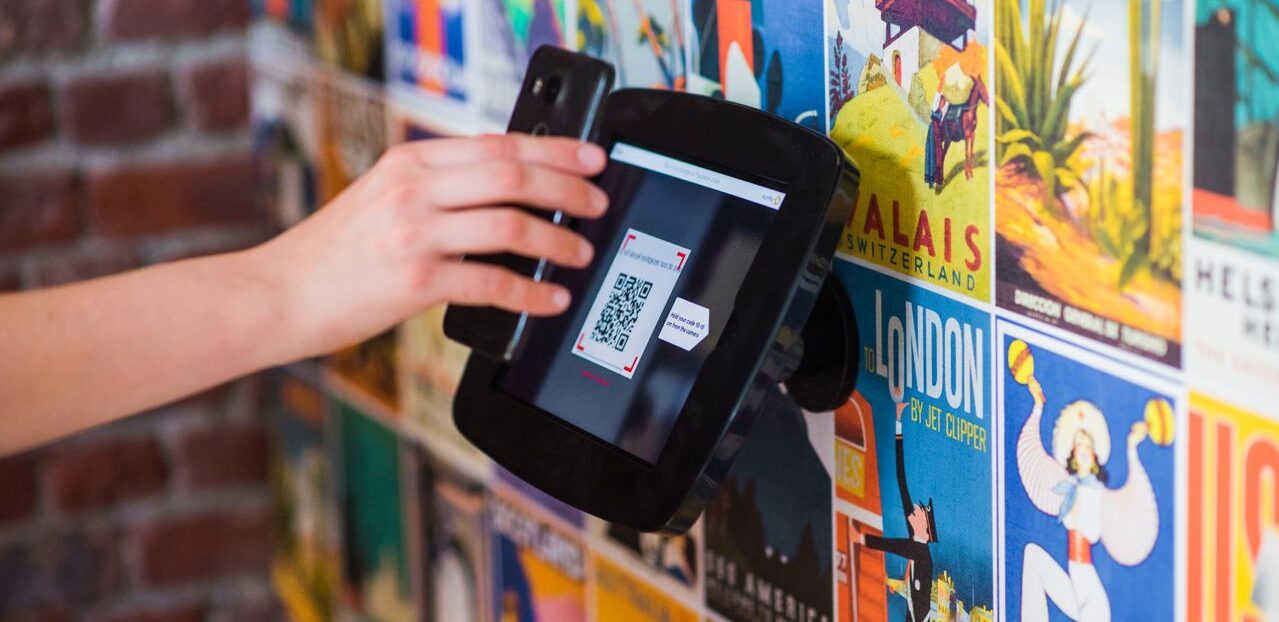
Article Summary: QR code scams (quishing)hide malicious web links inside QR codes to bypass traditional email security. Because the link is embedded in an image and is often opened on a personal phone, these attacks can avoid many of the protections businesses rely on. In this article, you’ll learn how QR code scams work, why they’re becoming more common, what they look like, and the practical steps your business can take to reduce the risk.
QR codes have become part of everyday business. We use them to pay for parking, connect to Wi-Fi, open shared documents, view restaurant menus, and complete many other everyday tasks.
Because they’re convenient and familiar, most people scan them without giving them much thought.
Cybercriminals have noticed that too.
Instead of sending a suspicious web link, attackers are now hiding malicious websites inside QR codes to bypass traditional email security and trick people into entering passwords or payment details. This technique is known as quishing, and it’s becoming an increasingly common way to launch phishing attacks.
In this article, you’ll learn how QR code scams work, why they can get past traditional security tools, the most common scams to watch for, and the practical steps your business can take to help protect employees and reduce risk.
What Is a QR Code Scam?
A QR code scam is a phishing attack that uses a QR code instead of a written web link. Rather than including a clickable URL that email security tools can inspect, the attacker hides the web address inside a QR code image.
When you scan the code with your phone, it opens a website designed to steal your login credentials or payment information. The website itself is no different from other phishing attacks. It might look like a Microsoft 365 sign-in page or a payment portal from your bank. The QR code is simply the method used to get you there.
Why QR Code Scams Get Past Your Security
There are two reasons these attacks are so effective. First, the malicious web address is hidden inside an image.
Many email security tools inspect the text within an email for suspicious or known malicious links. Because a QR code is an image, the web address isn’t visible as text for those tools to examine.
The UK’s National Cyber Security Centre notes that not all phishing detection tools inspect images, which is one of the reasons cybercriminals have increasingly adopted QR codes to disguise malicious links.
The second reason is that scanning a QR code usually moves you away from your work computer and onto your phone. Your business computer is likely protected by web filtering, endpoint security, and other controls that help block malicious websites. Your personal phone often has far fewer protections in place.
Without realizing it, you may leave the security your business relies on simply by scanning a QR code.
How Common Are QR Code Scams?
The number of QR code phishing attacks is growing rapidly.
In its email threat report for the first quarter of 2026, Microsoft reported detecting approximately 8.3 billion email-based phishing threats during the quarter.
QR code phishing increased by 146%, rising from 7.6 million attacks in January to 18.7 million in March. By the end of the quarter, Microsoft had observed the highest monthly volume of QR code phishing attacks in at least a year.
The QR code is embedded inside what appears to be a legitimate document, making the email look far less suspicious than one containing a traditional phishing link.
What QR Code Scams Look Like
Cybercriminals use QR codes in many of the same ways they’ve traditionally used phishing links. The difference is that the malicious website is hidden inside a QR code instead of a clickable URL, making the scam harder to spot.
Here are some of the most common QR code scams businesses are seeing today.
A “Security” Email
You receive an email that appears to come from Microsoft or your IT provider telling you to scan a QR code to keep your account active, re-enroll your multi-factor authentication (MFA). The QR code takes you to a fake Microsoft 365 sign-in page designed to capture your username and password.
A Shared Document
An email claims a colleague or client has shared a document with you and asks you to scan a QR code to open it.
Instead of accessing a document, you’re directed to a fake sign-in page that asks for your credentials before allowing you to continue.
A Fake Invoice
An invoice arrives as a PDF attachment with a QR code that promises a faster way to pay.
Instead of directing your payment to the intended business, the QR code sends your payment to the attacker.

A Delivery Notice
A text message or email claims you’ve missed a package delivery and asks you to scan a QR code to reschedule.
The U.S. Federal Trade Commission has warned consumers about this exact type of scam.
A QR Code Sticker in a Public Place
Not every QR code scam starts with an email.
Attackers have been known to place QR code stickers over legitimate codes on parking meters, payment terminals, posters, and other public locations. You believe you’re paying for parking or accessing a legitimate service, but you’re actually entering your payment details on a fraudulent website.
How to Protect Your Business from QR Code Scams
Reducing the risk of QR code scams comes down to a combination of employee awareness and good security habits.
Be Cautious of QR Codes in Emails
Treat a QR code in an email the same way you would treat an unexpected web link. If the message asks you to sign in, make a payment, or verify an account by scanning a code, take a moment to question whether it’s legitimate.
The UK’s National Cyber Security Centre recommends being especially cautious with QR codes received in emails, even though QR codes in places such as restaurants or official business locations are often perfectly legitimate.
Check the Web Address Before Opening It
Most smartphones display the website address before opening the page. Take a few seconds to read the address carefully.
If it doesn’t match the website you expected or looks unusual, don’t continue.
Go Direct Instead of Scanning
If an email tells you that your Microsoft 365 account needs attention or asks you to log in, don’t rely on the QR code. Instead, open your browser and go directly to the official website yourself, or use a saved bookmark.
This simple habit removes the risk of being redirected to a fraudulent page.
Be Wary of Urgent Requests
Like most phishing attacks, QR code scams often try to create a sense of urgency. Messages that claim your account will be suspended, a payment is overdue, or you must act “within 24 hours” are designed to pressure you into acting before thinking.
Urgency is often one of the strongest warning signs that something isn’t right.
Use Phishing-Resistant Multi-Factor Authentication
Even if an attacker manages to capture a password, phishing-resistant multi-factor authentication can make it much more difficult to use that information.
Passkeys, hardware security keys, and number matching in authenticator apps provide stronger protection than passwords alone.
Check Public QR Codes for Tampering
Before scanning a QR code on a parking meter, payment terminal, or public display, take a quick look to see whether a sticker has been placed over the original code.
A small check can help prevent your payment information from ending up in the wrong hands.
Make Sure Your Team Knows About QR Code Scams
Many employees are familiar with phishing emails but have never been warned about QR code scams.
Sharing examples during security awareness training or regular team updates can help employees recognize these attacks before they become a problem.
What to Do If Someone Already Scanned a Malicious QR Code
If you or someone on your team scanned a QR code and entered information on the website that opened, acting quickly can help reduce the risk.
- Change the password immediately. If the same password was used for other accounts, change those as well.
- Confirm multi-factor authentication (MFA) is enabled. This adds another layer of protection if your password has been compromised.
- Notify your IT provider or internal IT team. They can review sign-in activity, look for suspicious access, and take additional steps to help secure the account.
- Contact your bank if payment information was entered. Monitor your accounts closely and report any unauthorized activity as soon as possible.
The sooner you respond, the more likely you are to prevent the attacker from using the information they captured.
Conclusion
QR code scams are growing because they take advantage of something people have become comfortable using every day. Instead of asking someone to click a suspicious link, attackers hide the destination inside a QR code and often move the victim from a protected work computer to a personal phone with fewer security controls.
Fortunately, protecting your business doesn’t require avoiding QR codes altogether. Understanding how these scams work, taking a moment to verify where a QR code leads, and training employees to recognize common warning signs can significantly reduce your risk.
Modern security tools also play an important role. Strong email security, phishing-resistant multi-factor authentication, and ongoing security awareness training all help make QR code scams far less effective.
As these attacks continue to evolve, combining technology with informed employees remains one of the best ways to protect your business.
If you’re looking to strengthen your organization’s email security, Atekro can help. We work with businesses to improve phishing protection, implement modern security controls, and help employees recognize today’s most common cyber threats before they become costly incidents.
FAQs
Are QR Codes Safe to Use?
Most QR codes are perfectly safe. You’ll find them in restaurants, on official payment terminals, event registrations, and many other legitimate places.
The greater risk comes from QR codes received unexpectedly in emails or text messages, or from stickers placed over legitimate QR codes in public locations. Treat these with the same caution you would an unexpected web link.
What Is Quishing?
Quishing is a phishing attack that uses a QR code instead of a written web link.
The goal is the same as any phishing attack: directing someone to a fraudulent website that captures login credentials, payment information, or other sensitive data.
Can Email Security or Antivirus Software Stop QR Code Scams?
Not always.
Many email security products inspect the text within an email for suspicious links. Because a QR code hides the web address inside an image, some attacks can bypass those checks.
While some security solutions now inspect images for embedded QR codes, businesses shouldn’t assume every malicious QR code will be detected before it reaches an employee.
Why Is a QR Code in an Email More Dangerous Than a Normal Link?
A traditional phishing link can often be inspected by email security and is usually opened on a managed work device with security protections already in place.
A QR code hides the destination inside an image and encourages users to open the website on a phone, which often has fewer security controls than a company-managed computer.
What Should I Do If I Scanned a QR Code but Didn’t Enter Any Information?
If you closed the website without entering any passwords, payment details, or other information, the risk is generally low.
Close the page, don’t revisit it, and let your IT provider or internal IT team know so they can monitor for any unusual activity.
If you did enter login credentials or financial information, follow the recovery steps outlined above as soon as possible.
Love This Article? Share It!

Managing IT internally is expensive and time-consuming. Atekro’s outsourced IT support delivers full professional coverage, expert service and stronger security, helping small businesses save money and reduce downtime.
Cybersecurity is now a critical business priority, not just an IT task. Learn how small and midsize businesses can protect their data, strengthen their defenses, and reduce the risk of costly breaches.

Cyber insurance helps small and mid-sized businesses recover from ransomware, data breaches, and downtime, but it doesn’t replace cybersecurity. This guide explains what’s covered, what’s not, how to meet insurer requirements and respond effectively.

Ransomware is a growing cyber threat to maritime operations. As vessels become more connected, learn how operators can boost cyber resilience with monitoring, crew training, and secure IT-OT integration.

Modern vessels are no longer isolated at sea. They are connected, data-driven extensions of the shore, powered by high-speed connectivity and smart IT management for real-time collaboration and stronger cybersecurity.

Protect your business from cyber threats with our free Executive’s Guide to Cybersecurity. Learn practical strategies to spot risks, prevent attacks, and safeguard your data.

Operating IT at sea is vastly different from onshore support. Vessels need resilient systems, remote management, and strong cybersecurity to stay connected and secure.

Global maritime cybersecurity rules are now enforceable, requiring fleets, ports, and shipbuilders to integrate compliance into daily operations.

With modern vessels relying on digital systems, cybersecurity is essential to protect navigation, communication, and crew safety from growing cyber threats.

Cloud computing empowers businesses with flexibility, scalability, and cost savings, transforming operations across industries. This guide explores its advantages over traditional IT infrastructure and how it drives efficiency.
STAY IN THE LOOP
Subscribe to our free newsletter.
