

In today’s digital age, the importance of online safety cannot be overstated. Cyber threats are more sophisticated than ever, targeting individuals and businesses alike. For accounting firms and their clients, safeguarding sensitive financial data is paramount. A single data breach can lead to financial loss, reputational damage, and legal consequences.
This guide will help you identify common cyber threats and implement best practices to enhance your online safety.
Understanding common cyber threats
Cybercriminals use various tactics to gain access to sensitive data. Below are some of the most prevalent threats that accounting firms and their clients should be aware of:
Phishing attacks
Phishing remains one of the most widespread cyber threats, with attackers disguising themselves as legitimate organizations to trick recipients into revealing login credentials or financial details. These deceptive emails and messages often create a false sense of urgency, making them difficult to spot. To stay safe, always verify the sender’s email before clicking on any links. If a message demands immediate action, take a step back and assess whether it’s legitimate. Sensitive information should never be shared via email or text, and using email filtering tools can help detect and block phishing attempts.
Ransomware
Ransomware attacks encrypt your data and demand payment for its release, often in untraceable cryptocurrency. Recovering from such an attack can be costly and disruptive. The best defense is prevention—regularly backing up important files in secure locations ensures you won’t be left at the mercy of cybercriminals. Avoid opening suspicious email attachments or links, keep software updated, and invest in strong endpoint security to minimize risk.
Man-in-the-Middle (MitM) Attacks
Hackers can intercept communication between two parties, often by exploiting unsecured Wi-Fi networks. This allows them to steal sensitive information or inject malicious content. To protect yourself, always use encrypted communication channels like VPNs, avoid conducting financial transactions over public Wi-Fi, and enable multi-factor authentication (MFA) for an extra layer of security.
Malware
Malware comes in many forms—viruses, worms, trojans, and spyware—all designed to infiltrate systems and steal or corrupt data. A strong defense includes installing reputable antivirus software and keeping it up to date. Be cautious when downloading software, ensuring it comes from trusted sources. Avoid clicking on pop-ups and suspicious links, and conduct regular security scans on your devices to detect and remove threats.
Social engineering
Cybercriminals often manipulate individuals into revealing confidential information by impersonating trusted figures, such as IT personnel or executives. These tactics prey on human psychology rather than technical vulnerabilities. Staying skeptical of unsolicited requests, verifying identities before sharing information, and implementing cybersecurity awareness training can all help reduce the risk of falling victim to social engineering.
Best practices for online safety
Taking a proactive approach to cybersecurity significantly reduces the risk of cyber threats. Here’s how accounting firms and their clients can strengthen their defenses:
Strong passwords and authentication
Weak passwords are an open invitation for cybercriminals. A strong password should be complex, incorporating a mix of uppercase and lowercase letters, numbers, and symbols. Avoid common words, phrases, or personal information that can be easily guessed. Using a unique password for each account is essential, and a password manager can help store them securely.
Multi-Factor Authentication (MFA)
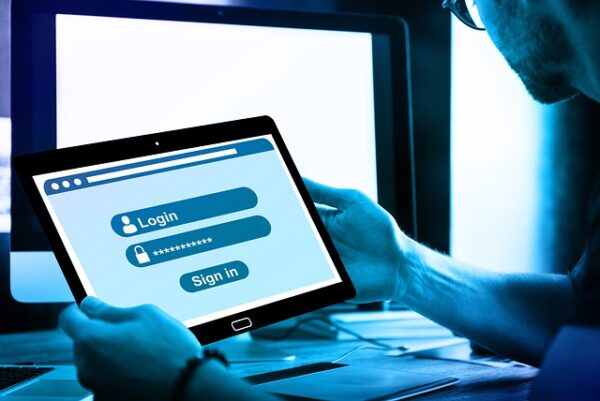
Even the strongest password isn’t foolproof, which is why Multi-Factor Authentication (MFA) is essential. Yes, MFA can feel like a hassle. But that extra step is what keeps your accounts secure. By requiring multiple forms of verification—such as a text message code, an authentication app, or even biometrics—MFA significantly reduces the risk of unauthorized access. Many financial, email, and business services support MFA, and integration can be streamlined with third-party vendors.
Regular software updates
Outdated software is a major security vulnerability that cybercriminals love to exploit. Keeping your operating system, applications, and security software updated ensures that known weaknesses are patched before they can be exploited. Enabling automatic updates helps streamline this process, and replacing unsupported software eliminates potential risks.
Avoiding suspicious links and attachments
Malware and phishing attacks often rely on unsuspecting users clicking harmful links or downloading infected attachments. Phishing emails can be incredibly convincing—often, only subtle clues reveal the deception. That’s why it’s crucial to stay extra vigilant. Always hover over links before clicking to verify the URL, and if something looks suspicious, avoid it. Attachments from unknown senders should never be opened, and advanced email filtering tools can help block potential threats before they reach your inbox.
Backing up data regularly
Data loss from ransomware, hardware failure, or accidental deletion can be devastating. Regular backups ensure that critical information is always retrievable. Keeping multiple copies of important data in different locations—such as a combination of cloud-based and offline storage—adds an extra layer of protection. Automating backups ensures that your data remains continuously updated and secure.
Safe browsing habits
Even with the best cybersecurity measures in place, unsafe browsing habits can put sensitive information at risk.
Web filtering: secure browsing anywhere
A web filtering service helps prevent employees from accessing unreliable or malicious websites, reducing the risk of malware infections and data breaches. When implemented at the network or device level, it ensures protection whether employees are in the office or working remotely. By automatically blocking dangerous sites and enforcing browsing policies, web filtering keeps online activity secure without disrupting productivity.
Using secure websites
Before entering personal or financial details online, always check for HTTPS in the website’s address bar. The padlock icon next to the URL indicates an encrypted connection, ensuring your data remains secure.
Avoiding public Wi-Fi for sensitive transactions
Public Wi-Fi is convenient but notoriously insecure, making it an easy target for hackers. If you must access financial accounts or sensitive information while on the go, using a Virtual Private Network (VPN) provides a secure, encrypted connection. Disabling automatic Wi-Fi connections on your devices also prevents unintended connections to risky networks.
Logging out of accounts when finished
Staying logged into accounts—especially on shared or public computers—can lead to unauthorized access. Always log out of financial and email accounts after use, and consider using private browsing modes when accessing sensitive information on devices that aren’t your own.
Educating and training for better security
Cybersecurity isn’t just about technology—it’s also about awareness.
Regular security awareness training
Keeping employees and clients informed about the latest cyber threats can make all the difference. Regular training sessions ensure that everyone understands best practices, recognizes warning signs, and knows how to respond to potential threats.

Implementing a cybersecurity policy
Having clear guidelines in place helps standardize security practices across an organization. A strong cybersecurity policy should outline how sensitive information is handled, establish remote work security protocols, and define steps for responding to security incidents.
Staying informed about cyber threats
Cyber threats constantly evolve, so staying updated on the latest risks is crucial. Following reputable cybersecurity news sources and subscribing to alerts from cybersecurity organizations can help businesses and individuals stay one step ahead of cybercriminals.
Conclusion
The digital world presents numerous cybersecurity challenges, but with the right precautions, accounting firms and their clients can safeguard their sensitive financial information. Strong security practices, ongoing education, and a proactive mindset go a long way in reducing cyber risks. Online safety is a shared responsibility—by working together, we can keep financial data secure and protected from cyber threats. For expert guidance on enhancing your cybersecurity strategy, get in touch with our team today.
Love This Article? Share It!

Zero Trust is no longer just for large enterprises. For small businesses, it offers a practical way to limit access, reduce risk, and protect critical data as cloud tools, remote work, and modern threats change how security needs to work.

Learn how SPF, DKIM, and DMARC work together to stop email spoofing and protect your business from domain impersonation.

QR code scams are becoming more common because they can bypass traditional email security. Learn how quishing works, how to recognize it, and how to protect your business.

A cyberattack can move quickly, and the first hour matters. This guide explains what to do first, what mistakes to avoid, who to call, and how to protect your business from further damage.

AI note-takers can save time, but they also create stored records of business conversations. Before using them in sensitive meetings, know where the data goes, who can access it, and when consent is required.

Fix messy offboarding by cleaning up SaaS accounts, shared logins, personal devices, and client handoffs before they create risk.

Older Microsoft 365 tenants can carry settings that no longer match today’s security defaults. These five checks help you find quiet gaps before they create bigger risk.

Microsoft 365 Copilot works with the permissions your employees already have. Before turning it on, review old access, shared files, Teams membership, and sensitivity labels so confidential information does not surface where it should not.

Cloud-only is not always the smartest path. This article explains when a hybrid cloud strategy can help businesses control costs, improve performance, and keep the right systems closer to home.

Most offboarding checklists cover email and devices, but SaaS access is often missed. Learn where zombie accounts hide and how to remove them before they create security risk.
STAY IN THE LOOP
Subscribe to our free newsletter.
