

Multi-Factor Authentication (MFA) remains one of the most effective ways to protect business systems. Microsoft research shows it can reduce the risk of account compromise by over 99%— , even when credentials are already exposed. But that level of protection depends on using the right kind of MFA.
At the same time MFA adoption has grown, attackers have rapidly evolved their tactics to bypass it. Phishing attacks increased by 58% in a single year, and attackers are now using tools that intercept login sessions and one-time codes in real time.
This shift has exposed a critical weakness in many environments: continued reliance on SMS-based authentication. While convenient and familiar, SMS was never designed to function as a secure authentication channel. It depends on legacy telecommunications infrastructure, including protocols like Signaling System No. 7 (SS7), which can be exploited to intercept, redirect, or manipulate text messages without the user ever knowing. Combined with phishing attacks that capture credentials and one-time codes simultaneously, SMS-based MFA has become increasingly unreliable for protecting sensitive systems and data.
This article explains why SMS-based MFA is no longer sufficient, how modern attacks are bypassing it, and what phishing-resistant alternatives businesses should be using instead to properly protect their accounts and data.
What is SIM swapping? Understanding one of the most common MFA attacks
One of the most common, and most damaging, ways attackers exploit SMS MFA is through SIM swapping.
In a SIM swap attack, a cybercriminal impersonates you and contacts your mobile carrier, claiming they’ve lost their phone. If they successfully convince support staff, your phone number is transferred to a new SIM card in their possession. From that moment on, your phone goes offline, and they receive your calls and text messages, including MFA codes.
What makes this especially concerning is how simple it can be. This isn’t about advanced hacking, it’s about social engineering. And when it works, attackers can quickly take control of your accounts.
They can:
- Reset your passwords
- Lock you out of your own accounts
- Access sensitive services like email and banking
Once attackers gain access to your bank accounts, it can be challenging to prove your identity and regain control.
Why phishing-resistant MFA is the new security standard
To stay ahead of these risks, organizations are moving toward phishing-resistant MFA-solutions designed to remove guesswork and reduce reliance on human input. Technologies like FIDO2 use public key cryptography to securely tie authentication to a specific device and domain. In simple terms, even if someone clicks a malicious link, the authentication process won’t complete unless everything matches exactly.
That means no codes to intercept, no credentials to steal, and far fewer opportunities for attackers to succeed. Even better, many of these solutions are passwordless, eliminating one of the most common points of failure altogether.
Implementing hardware security keys
One of the strongest options available today is the use of hardware security keys. These small physical devices, similar to a USB drive, allow users to securely log in with a simple tap or insertion. Behind the scenes, the key performs a cryptographic handshake with the service, confirming identity without ever transmitting sensitive data.
There are no codes to type, nothing for attackers to intercept, and no way to access accounts remotely without the physical key itself. For organizations looking for maximum protection—especially for privileged users—this is one of the most reliable options available.
Mobile authentication apps and push notifications
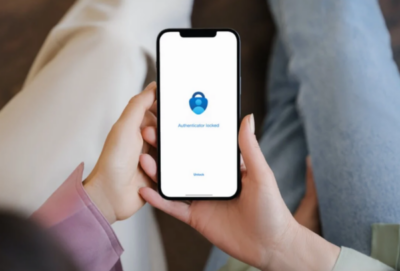
If hardware keys aren’t the right fit for your team, mobile authenticator apps offer a strong and practical alternative. Apps like Microsoft Authenticator or Google Authenticator generate codes directly on the device, removing the risks associated with SMS altogether.
Push notifications can make the experience even easier—but they do come with their own risks. Attackers may attempt “MFA fatigue” attacks by repeatedly sending approval requests, hoping someone clicks “approve” just to stop the notifications. Modern solutions address this with number matching, requiring users to confirm a code shown on their login screen. It’s a simple step that adds a powerful layer of protection.
Passkeys: the future of authentication
As passwords continue to be a weak point, passkeys are quickly becoming the future of secure access. Passkeys are stored securely on your device and protected by biometrics like Face ID or fingerprint recognition. They’re resistant to phishing, easy to use, and can sync across devices through platforms like iCloud Keychain or Google Password Manager.
For users, it’s a smoother experience. For organizations, it means fewer password resets, less administrative overhead, and stronger overall security.
Balancing strong security with a seamless user experience
Shifting away from SMS-based MFA isn’t just a technical change, it’s a people change. Text messages feel familiar and convenient, so introducing new tools like authenticator apps or hardware keys can bring some initial hesitation. That’s completely normal.
The key is helping users understand the “why.” When people see how attacks like SIM swapping work, and what’s at stake, they’re much more likely to embrace stronger protections. A phased rollout can make the transition smoother, but for high-risk accounts—like administrators and executives—phishing-resistant MFA should be non-negotiable.
Conclusion
Relying on outdated authentication methods can create a false sense of security. While SMS MFA may check a compliance box, it doesn’t fully protect against today’s threats. And when a breach happens, the cost goes far beyond dollars, it impacts trust, operations, and reputation.
The good news is that upgrading your authentication strategy is one of the highest-impact investments you can make. Compared to the cost of incident response and recovery, modern MFA solutions are both accessible and effective.
At Atekro, we help businesses implement modern, phishing-resistant authentication that’s secure, practical, and aligned with how they actually work.
Book a free consultation with our team to evaluate your current MFA setup and identify where you may be exposed, no pressure, just clear, actionable guidance on how to strengthen your protection.
FAQs
- Is SMS-based MFA still secure?
SMS MFA is better than passwords alone, but it is no longer considered secure against modern attacks like phishing and SIM swapping. - How do hackers bypass SMS MFA?
Attackers use techniques like SIM swapping, phishing, and SS7 exploitation to intercept or capture one-time codes. - What is phishing-resistant MFA?
Phishing-resistant MFA uses methods like FIDO2 or passkeys that bind authentication to a device and domain, preventing credential theft. - Are authenticator apps safer than SMS?
Yes, authenticator apps generate codes locally and are not vulnerable to SIM swapping or SMS interception. - What is the best alternative to SMS MFA?
Hardware security keys and passkeys are the most secure options, offering strong prot
About the Author: scott


Commercial Microsoft 365 falls short of CMMC requirements for protecting CUI. Here’s how to tell whether GCC or GCC High is the right fit for your contract.

FCI and CUI carry very different obligations. Which one your company handles decides your CMMC level and how much compliance work you’re signing up for.
A GCC migration means building a new Microsoft 365 environment from scratch and moving your business into it. Here's what the process involves and what tends to catch people off guard.

The Department of War suspended the CMMC third party assessment requirement in July 2026, and self assessment and DFARS obligations remain in force. Here is what changed and what contractors still need to do.

CMMC compliance comes down to five phases that take you from your first gap assessment to a third party audit. A sixth phase of ongoing maintenance keeps you compliant once you get there.

Boeing has been messaging its supply chain about CMMC readiness, on a schedule separate from the government’s. Here’s what that means in practice.

Phishing emails used to give themselves away through bad spelling. AI has closed that gap, so your team needs a better way to tell what is real.
Most compromised business websites were never singled out. An automated tool found an outdated plugin and took it from there. Here's how to tell if your site carries that same risk, and what a fix actually looks like.
A cloud outage does not need a hacker behind it to shut down your business for a few hours. A short continuity plan is what keeps your team working and your customers informed until service returns.

Zero Trust is no longer just for large enterprises. For small businesses, it offers a practical way to limit access, reduce risk, and protect critical data as cloud tools, remote work, and modern threats change how security needs to work.
STAY IN THE LOOP
Subscribe to our free newsletter.
