

Overview:
- SIM swap attacks let hackers hijack your phone number by exploiting mobile carrier processes
- SMS-based two-factor authentication can be easily bypassed during a SIM swap
- Attackers can reset passwords, access financial accounts, and impersonate you
- Locking your SIM and adding carrier account security significantly reduces risk
- App-based authenticators offer stronger protection than text-based 2FA
In a world where smartphones have become an essential part of our daily lives, the security of your mobile number is more important than ever. You probably use your phone number for everything from text-based two-factor authentication (2FA) to receiving personal messages.
But what if hackers could hijack your phone number? Through a technique called SIM swap attacks, cybercriminals can gain control of your phone number, intercept your 2FA codes, reset your passwords, and even read your personal messages. The worst part? You might not even realize it until it’s too late.
In this article, we’ll dive deep into how SIM swap attacks work, the risks associated with them, and, most importantly, how you can protect yourself from falling victim to this increasingly common form of hacking. With some simple precautions, you can make it much harder for hackers to target you.
What is a SIM swap attack?
A SIM swap attack is a type of fraud where a hacker convinces your mobile provider to transfer your phone number to a SIM card that they control. Once the hacker has control over your SIM card, they can intercept text messages, phone calls, and even bypass 2FA security that relies on your phone number.
How this typically works:
Step 1: Reconnaissance
Hackers begin by gathering information about you. They might do this through social media, public records, or even by exploiting data breaches. By piecing together details like your name, address, birthdate, and sometimes even your account PIN or security questions, they build a profile that makes it easier to impersonate you.
Step 2: Social engineering
The next step is to trick your mobile provider’s customer service team into thinking they are you. This often involves the hacker calling the customer support line and pretending to be you. Armed with the information they’ve gathered, they might claim to have lost their phone or need a new SIM card.
In some cases, they may even ask to port your number to a different carrier. If they have enough information, the mobile provider might unknowingly transfer the number to a new SIM card in the hacker’s possession.
Step 3: Hijacking your phone number
Once the hacker has successfully convinced the provider to switch your phone number to their new SIM, your phone will lose signal, and the hacker will gain full control of your number. This means they can now receive your calls and text messages, including any two-factor authentication codes that are sent to your phone.
Step 4: Taking over your accounts
With control over your phone number, the hacker can now initiate password resets for any accounts tied to your number. Since many online services use SMS-based 2FA, the hacker can intercept the code sent to your phone and use it to log into your accounts. This could include:
- Email accounts: Access to your email could give the hacker entry into sensitive accounts linked to it as well as MFA codes sent by email.
- Social media accounts: If the hacker gains access to your social profiles, they can steal personal information or use your account to scam your friends and family.
- Bank accounts and financial apps: This is one of the most dangerous scenarios. Hackers can intercept one-time codes sent for transactions or account recovery, and gain full access to your finances.
Step 5: Reading your messages
Hackers can also use your hijacked phone number to intercept your personal messages. This means they can read sensitive texts, including those from your friends, family, or even work-related communications. In some cases, they might also gain access to encrypted messages sent via messaging apps like WhatsApp, which often use your phone number for verification.
Why should you be concerned about SIM swap attacks?
SIM swap attacks are becoming more common as hackers realize the value of accessing phone numbers. Once they have your number, it’s not just about stealing your information. It’s about gaining control of other accounts and systems that rely on your number as a key part of their security framework. In its 2024 Internet Crime Report, the FBI’s Internet Crime Complaint Center (IC3) recorded 982 SIM swap complaints and $25,983,946 in reported losses.
Here’s why you should be concerned:
- Text-based 2FA Is vulnerable: Text-based two-factor authentication (2FA) is often touted as a way to protect your accounts from unauthorized access. However, if a hacker controls your phone number, they can easily bypass this security method. They can also send messages from your number, impersonating you to deceive friends, family, or coworkers. Many financial services, email platforms, and social media accounts still rely on text-based 2FA, which makes them prime targets for attackers.
- Financial loss: If a hacker gains access to your bank accounts or payment apps, they could easily drain your funds or make unauthorized purchases.
- Identity theft: With your phone number and access to your email, a hacker could commit identity theft by opening new accounts in your name, stealing your credit card information, or even applying for loans.
Who’s at risk?

Everyone who uses a phone number for SMS-based 2FA or stores sensitive information on their devices is potentially at risk. While high-net-worth individuals, business executives, and public figures might seem like more obvious targets, SIM swap attacks can happen to anyone, regardless of their status.
Here’s why:
- SMS-based 2FA is common: Many online services, from social media to banking, use text-based two-factor authentication. If your phone number is tied to any account that uses this method, you’re at risk. A hacker could intercept your 2FA codes and gain access to your accounts.
- Personal data in your phone: We store a lot of personal information on our phones – text messages, emails, passwords, and even financial data. If a hacker gains control of your phone number, they could access all of this sensitive information, regardless of who you are.
- Convenience is a double-edged sword: While using your phone number for account verification is convenient, it also makes it a prime target for hackers. Many people find it easier to rely on SMS-based security, not realizing that it’s vulnerable to SIM swaps.
Your phone number can be a gateway for hackers if not properly protected. SIM swap attacks target anyone whose mobile number is tied to valuable accounts or information.
How to stay safe from SIM swap attacks
The good news is that there are several steps you can take to protect yourself from SIM swap attacks. By locking down your phone number and implementing extra layers of security, you can make it much harder for hackers to gain control of your number.
-
Lock your SIM card with a PIN
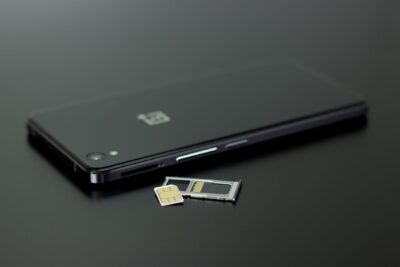
One of the most straightforward ways to prevent SIM swap attacks is by locking your SIM card with a PIN. Most mobile providers offer this feature, and it can prevent unauthorized access to your SIM. When the PIN is activated, even if someone tries to swap your SIM, they’ll need to enter the PIN first.
- How to set it up: Contact your mobile provider and ask for instructions on how to enable a PIN for your SIM card. In most cases, you can also activate this through your phone’s settings.
- Why it helps: With the SIM PIN in place, anyone attempting to swap your SIM will need to know your PIN before they can do so, making it significantly more difficult for hackers to hijack your number.
-
Enable extra security for account changes
Many mobile providers offer additional security measures to make it harder for hackers to impersonate you when making changes to your account. This could include setting up a PIN, password, or even a security question specifically for account changes, such as requesting a SIM swap.
- How to set it up: Call your mobile provider’s customer service and ask them to add a security PIN to your account. Some providers allow you to set this up through their app or website.
- Why it helps: Adding an extra layer of security to your account makes it much harder for a hacker to impersonate you and initiate a SIM swap.
-
Watch out for phishing calls or texts
Phishing attacks are one of the most common ways that hackers gain access to your personal information. If a hacker successfully impersonates a mobile provider’s customer service representative or a trusted organization, they can trick you into revealing sensitive information.
- How to protect yourself: Be cautious when you receive unsolicited calls or texts, especially those asking for personal information like your account number or PIN. Always hang up and call your provider’s customer service directly using the official number listed on their website.
- Why it helps: By staying vigilant and verifying any requests for personal information, you make it much harder for hackers to obtain the details they need to carry out a SIM swap.
-
Use app-based two-factor authentication
While SMS-based 2FA is convenient, it’s not the most secure method. Instead, use an authenticator app that generates time-based codes, such as Google Authenticator, Keeper, Microsoft Authenticator, DUO, and Authenticator. These time-sensitive codes are more secure than SMS codes, which can be intercepted during a SIM swap attack.
- How to set it up: Download an authenticator app and link it to your accounts that support 2FA. This process is usually straightforward and can be done through your account settings on services like Google, Facebook, or your banking app.
- Why it helps: App-based 2FA doesn’t rely on your phone number, making it much harder for hackers to bypass.
Conclusion
SIM swap attacks succeed because they exploit trust, convenience, and outdated security habits. The good news is that protecting yourself doesn’t require advanced technical skills. By securing your SIM, reducing reliance on text-based authentication, and staying alert to social engineering, you can cut off one of the most common paths attackers use to take control of your digital life.
If you’re unsure whether your current setup is putting you at risk, a quick security check can make all the difference. Start by reviewing where your phone number is used, and consider upgrading to stronger, code-based authentication wherever possible. If you have questions or would like help reviewing your security setup, send our Atekro team a message.
Frequently Asked Questions
- How do I know if I’ve been SIM swapped?
Common signs include sudden loss of cell service, failed logins, unexpected password reset alerts, or messages sent from your number that you didn’t send. - Is SMS-based 2FA better than no 2FA at all?
Yes, but it’s still vulnerable. App-based authentication is far more secure than SMS. - Can a SIM swap happen without my carrier being hacked?
Yes. Most SIM swaps rely on social engineering, not technical breaches of the carrier’s systems. - Should I change my phone number after a SIM swap attack?
In many cases, yes, especially if the attacker had prolonged access. You should also reset passwords and review all linked accounts. - Do authenticator apps work without cell service?
Yes. Time-based authenticator apps generate codes locally and don’t rely on your phone number or cellular signal. - What’s the single most effective step I can take today?
Replace SMS-based 2FA with app-based authentication and add a security PIN to your mobile carrier account.
Love This Article? Share It!

Zero Trust is no longer just for large enterprises. For small businesses, it offers a practical way to limit access, reduce risk, and protect critical data as cloud tools, remote work, and modern threats change how security needs to work.

Learn how SPF, DKIM, and DMARC work together to stop email spoofing and protect your business from domain impersonation.
QR code scams are becoming more common because they can bypass traditional email security. Learn how quishing works, how to recognize it, and how to protect your business.

A cyberattack can move quickly, and the first hour matters. This guide explains what to do first, what mistakes to avoid, who to call, and how to protect your business from further damage.

AI note-takers can save time, but they also create stored records of business conversations. Before using them in sensitive meetings, know where the data goes, who can access it, and when consent is required.

Fix messy offboarding by cleaning up SaaS accounts, shared logins, personal devices, and client handoffs before they create risk.

Older Microsoft 365 tenants can carry settings that no longer match today’s security defaults. These five checks help you find quiet gaps before they create bigger risk.

Microsoft 365 Copilot works with the permissions your employees already have. Before turning it on, review old access, shared files, Teams membership, and sensitivity labels so confidential information does not surface where it should not.

Cloud-only is not always the smartest path. This article explains when a hybrid cloud strategy can help businesses control costs, improve performance, and keep the right systems closer to home.

Most offboarding checklists cover email and devices, but SaaS access is often missed. Learn where zombie accounts hide and how to remove them before they create security risk.
STAY IN THE LOOP
Subscribe to our free newsletter.